
GMC Bulldozer R4 - Computer Case Review?!
- GMC Bulldozer R4 - Computer Case Review?!
- Page 2 - Packaging, general appearance
- Page 3 - Closer look
- Page 4 - Installation, test system and methodology
- Page 5 - Tests and results
- Page 6 - Conclusion
Page 5 - Tests and results
Page 5 - Tests and results
Design and lighting
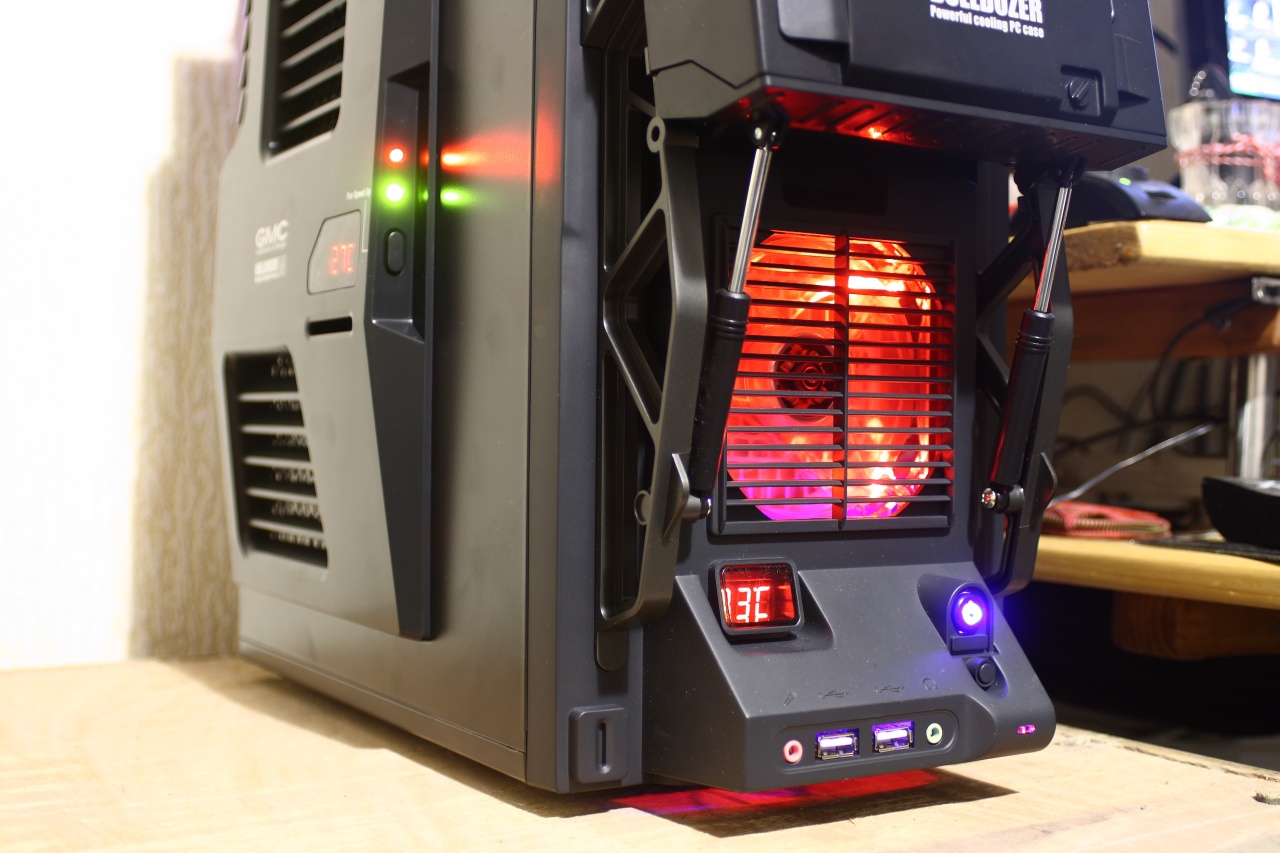
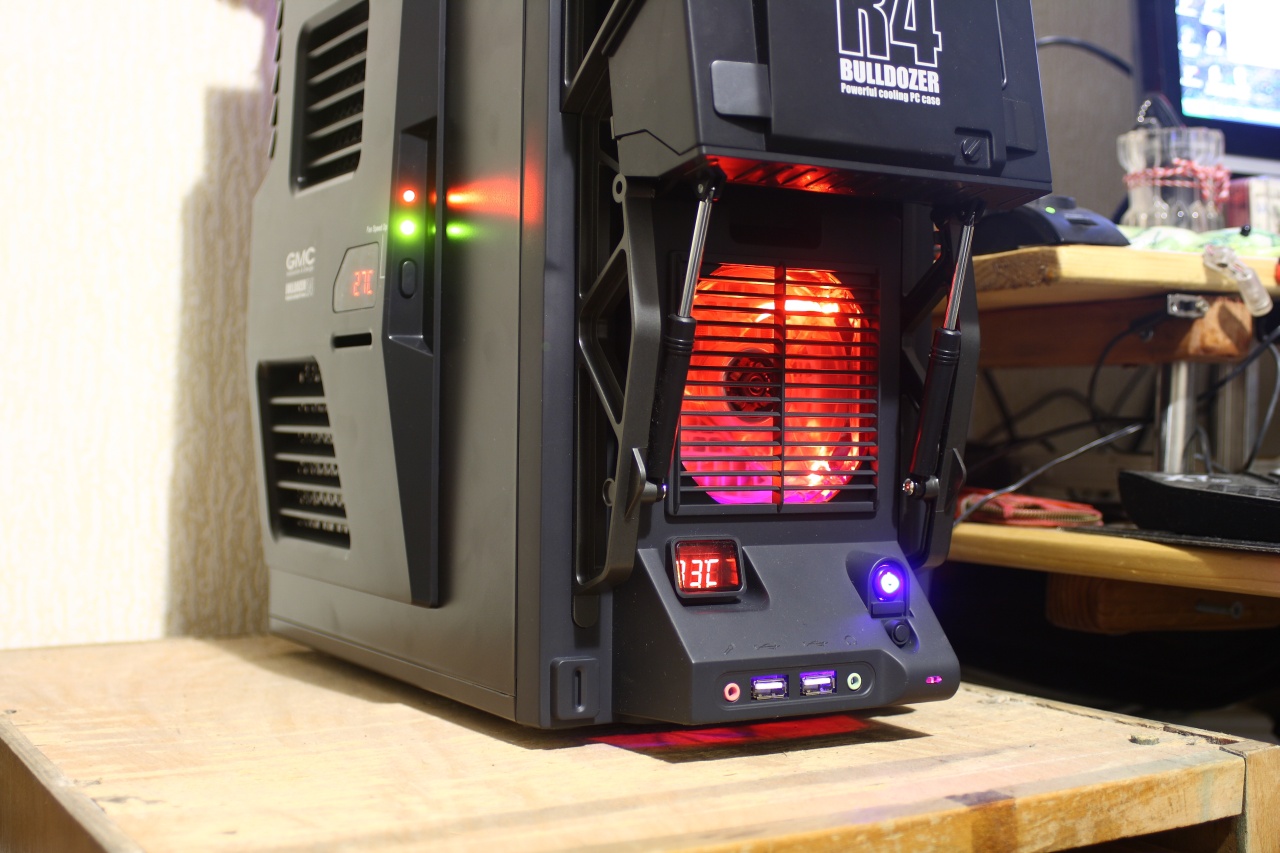
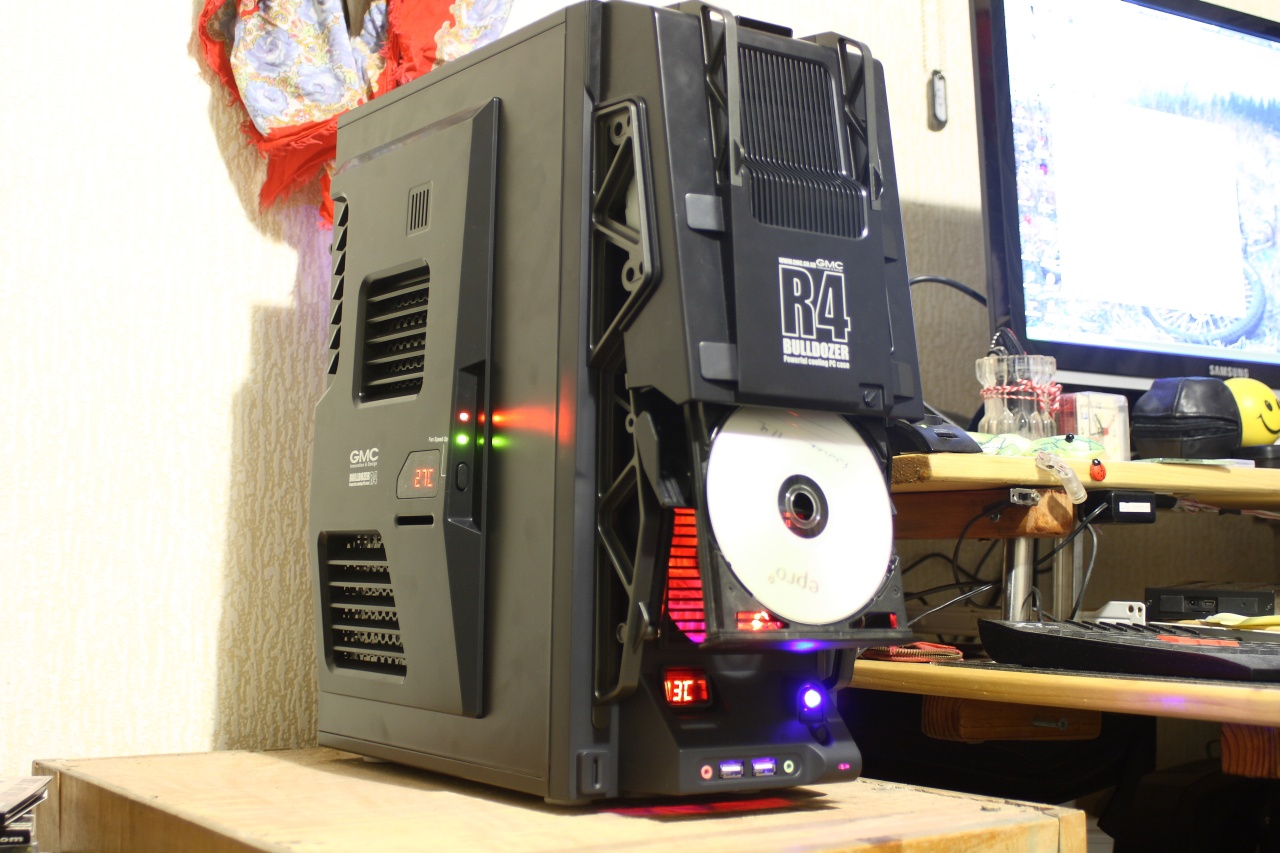
The design is undisputedly unique. Whether it is appealing to all is another question, but for us it was. The optical drive bay is one of a kind too and not a bad one either. The photos below reveal that all this is well light and in nice colour at that. Only one thing about it – the LED's on the side panel that indicate the fan speed are a tad too bright. Adding to that the fact that they indicate the speed by blinking, well you get the idea - not the most pleasant thing to look at. Sure, you can easily cover them, but that's clearly disappointing considering the overall, swell appearance:
Modding
Not much can be said about it. The case looks complete and is too small to provide a wide field for your fantasy and skills. We are certain that lots of things can be added or modified in order to drastically change the appearance of the case, thing is, they will need to sort of fit the overall design in order to be successful. And that indeed makes modding this case beyond its initial state quite a challenge.
Build quality
Build quality is on the level, especially considering this is in fact a lower class case. It is stable enough, sturdy and light. Expecting more from this case is unrealistic, thus we can list a mere three flaws (in our eyes) – the inappropriate openings on the back panel, the bright LED's on the side panel ad the inability to fit longer optical drives.
Comfortability
There is only one feature worth mentioning – the adjustable hard drive bay. Installing system (of the most common type) is easy enough, despite the limited volume of the case it does have enough. Managing the cables can be a pain in the... rear, but won't kill you. Fitting more than one graphic card will be a considerable challenge, but is doable, the case has enough room and will provide proper cooling. Having a fan on the bottom of the case will only make the challenge tougher. Another thing that you'll have to watch out for are all the cables and wires for fans and thermometers on the side panel – once you connect everything upon closing the panel you'll notice they tend to wiggle all around, therefore - they can be caught in a fan – so take notice! The case does allow you to fit a serious system, but should you wish to change components frequently - well, no, it's not "uber" accesible!
Noise and air flow
Engineers had worked hard on it. There are plenty of openings for ventilation, on the right places too and all the fans are at the best places. How good it is in action we're about to see, but overall even at a mere glance the air flow appears to be alright. After prolonged use you can see that fan openings tend to gather dust and that is clear evidence that air flows through where it was intended to :). As for the noise – the one of the 120mm fan is the most noticeable (and annoying), not because of the fan speed (it is in fact well chosen), but because of the flow vortexing we mentioned previously. The other two fans are quiet enough, even used at their highest speed. Overall GMC Bulldozer R4 performance around the medium – neither too quiet, nor too noisy. If you want absolute silence, you can turn off all the fans, but that would be ill-advisable for case as small as this one.
Temperatures
Now, the most important issue – how the cooling performs in real life. All fans were working, the one on the side panel - at highest speed. And for the results:
As can be seen from the graphs, GMC Bulldozer R4 performs rather well considering its size. The processor and its worst got a 11 degrees higher, which is neither much or little. At room temperature of 22 degrees that equals to 65 – an average value. And that by using the stock cooler (not the best performing one). It is apparent that the case has sufficient air flow (as expected), i.e. using bigger and better cooler would guarantee better results. As for the graphic processor – there the difference was minimal (no more than 4 degrees), which is clear indication of excellent air flow around that card. As for fitting another one – while possible, keep in mind that the capabilities of the case are not limitless.
Then again, should we engage in functional modding and get rid of the ridiculous grill on the back and add a fan on the bottom, we are confident that better air flow and lower noise levels will be easily obtainable. Then a SLI/Crossfire combo can be seriously considered (while still keeping close watch over it).